Retail Data Dashboards

Unified, high-performance dashboards enabling 1,500+ employees to make faster, reliable, and scalable data-driven decisions across 6 retail brands.

Position

Senior Product Designer

Company

Arezzo&Co

Platform

Web App (Tableau Desktop)

Duration

4 months (Dec 2024 – Mar 2025)

Team

Me + 4 Tableau Developers + PO

Tools & methods

Figma · Figjam · Loop · Tableau · Databricks · Interviews

Retail Data Dashboards

Context

After a major merger, each team – commercial, CRM, merchandising, multibrand – worked with different KPI rules for the same metrics. Dashboards were slow, inconsistent, and hard to trust, leading users back to Excel. The company needed a unified analytical ecosystem to standardize insights and support decisions across 6 brands.

Challenge

Legacy dashboards loaded in 5–15 minutes, had inconsistent KPIs, and required users to open multiple tools to find basic information. High data volume, dozens of filters, and performance constraints made the dashboards unreliable. The biggest challenge was consolidating definitions, improving speed, and making insights intuitive and consistent.

My role

I led discovery, UX/UI, data-viz guidelines, prototyping, user testing, and the creation of a Tableau-ready design system. I worked daily with analysts and the Tableau developer to simplify flows, reduce filters, align KPI rules, and design layouts optimized for performance and clarity.

Solution

I designed a suite of unified dashboards with a clear KPI hierarchy, faster navigation, consistent layouts, and performance-focused patterns. A new design system for Tableau standardized templates, components, and data-viz rules, reducing design-to-dev time by 85%. The dashboards now support drill-downs, YOY comparisons, goal tracking, and intuitive filters. A custom navigation pattern replaced Tableau’s native tabs, solving a key usability issue and enabling instant transitions between views. The result was a reliable, scalable ecosystem that aligned teams, reduced Excel dependency, and made data accessible to the entire company.

Results

+ Unified Source of Truth

KPI definitions aligned across 6 brands.

+ Faster Decision-Making

Clear structure minimized Excel reliance.

+ Visual & Analytical Consistency

Standardized components across all dashboards.

+ Performance Gains

Optimized layouts reduced load time and friction.

Process overview

1. Understand the workflow

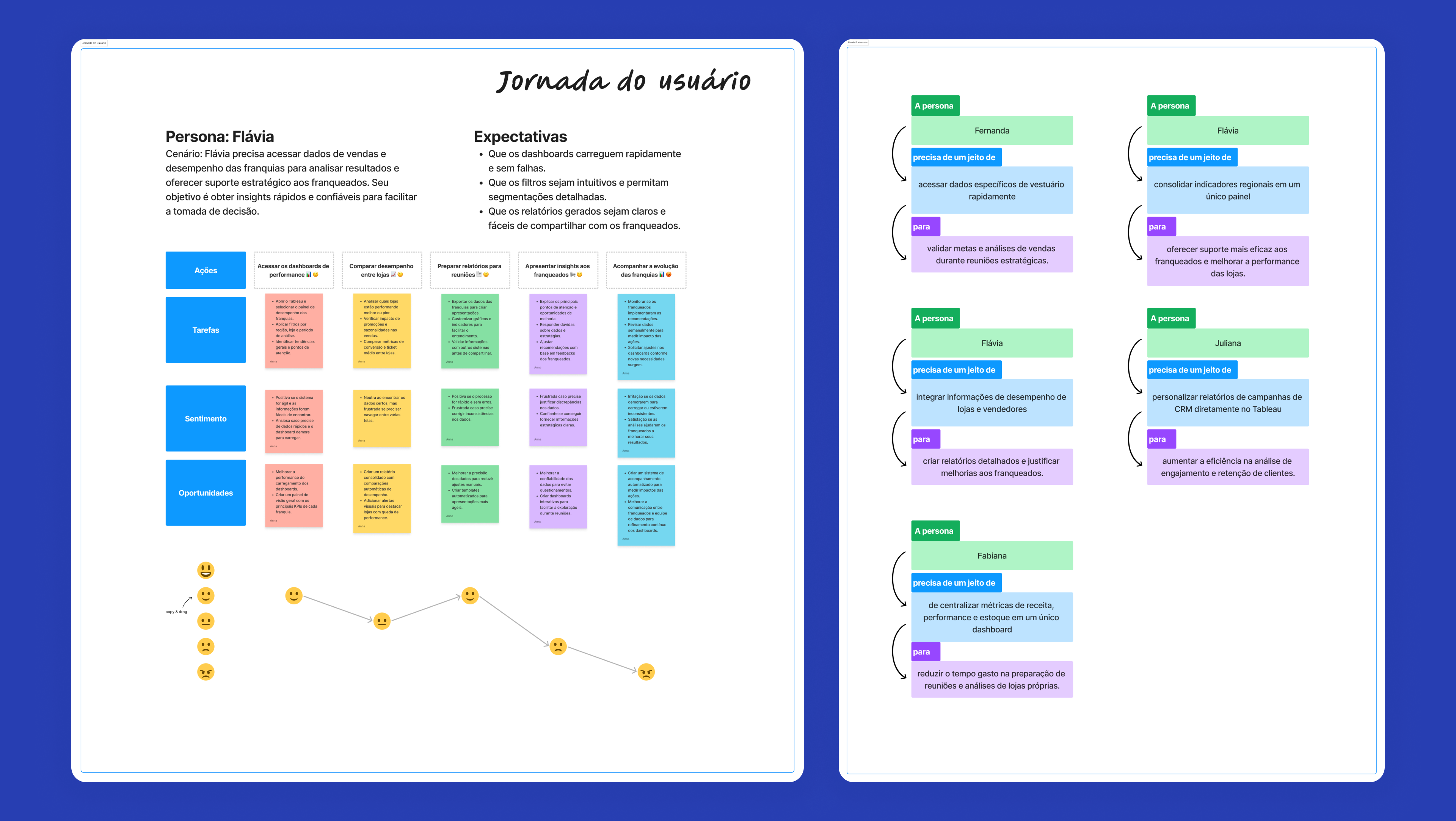
Interviews + analytical journey mapping
Tools: Loop, Figma

2. Requirements & opportunities

Benchmark + legacy dashboard audit + KPI alignment
Tools: FigJam

3. Prototype & validate

Testing with analysts, store managers, CRM, C-level
Tools: Figma

4. UI design & systemization

Patterns, tokens, templates for Tableau
Tools: Figma

5. Refinement & handoff

Performance-safe components + dev alignment
Tools: Loop, Azure, Tableau

Discovery

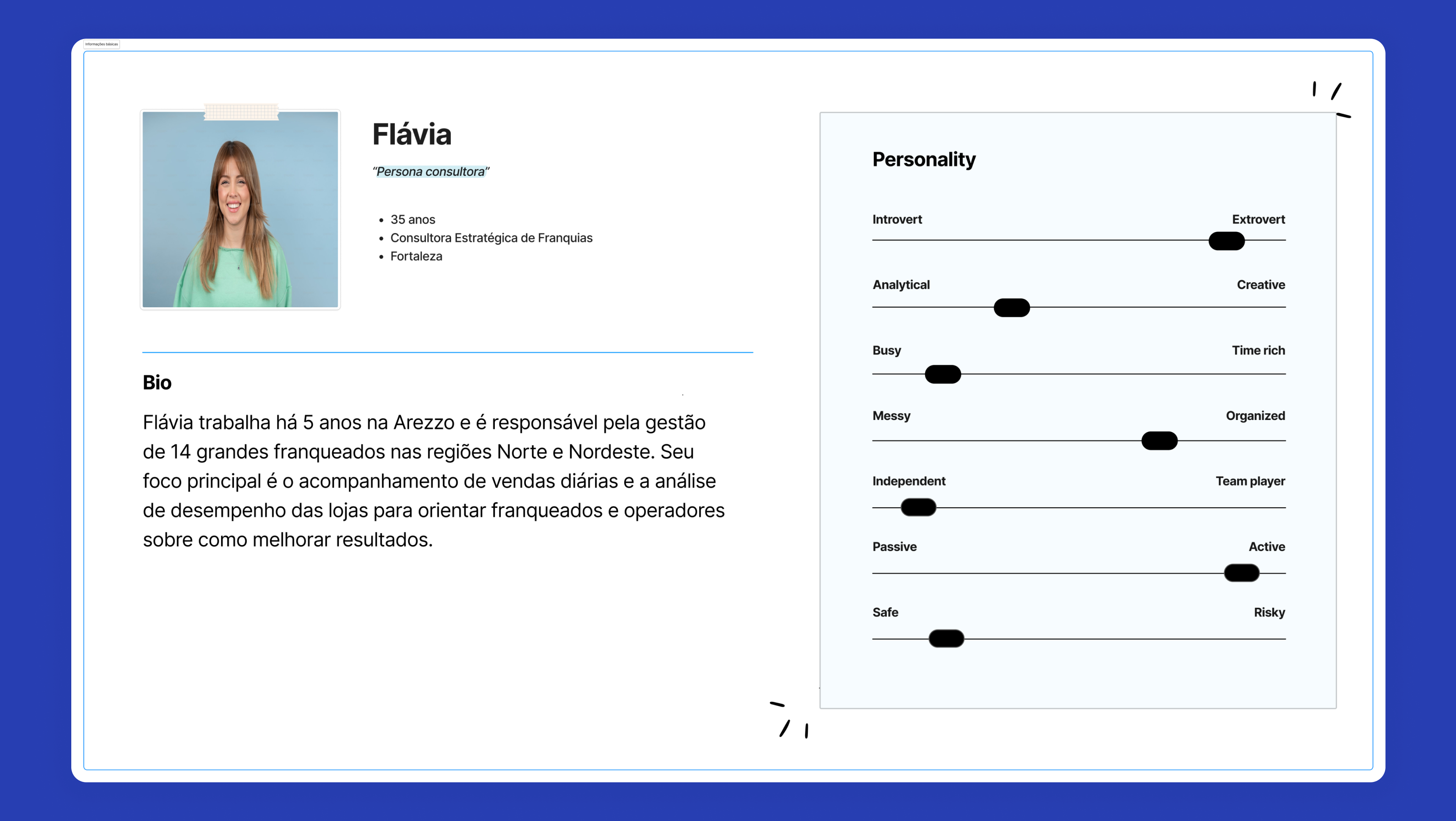
I interviewed analysts, store managers, directors, and franchise owners to understand how each team interpreted KPIs. The biggest insight: people didn’t want a “super dashboard”, they wanted speed. Slow load times (5–15 minutes), conflicting KPI rules, and too many filters pushed users to Excel. They also didn’t understand Tableau’s tab navigation, so they missed important pages. Data was scattered across spreadsheets, legacy dashboards, and personal files. The discovery phase revealed that alignment, clarity, and navigation needed to come before visual redesign.

Friction Points & Insights

  • Inconsistent KPI rules caused loss of trust
  • Dashboards extremely slow under high data volume
  • Excessive filters overloaded performance
  • Users preferred Excel for autonomy and speed
  • Tableau tabs were invisible → added custom navigation
  • Teams lacked a shared analytical language

Deliverables

Store Overview (Raio-X de Loja)

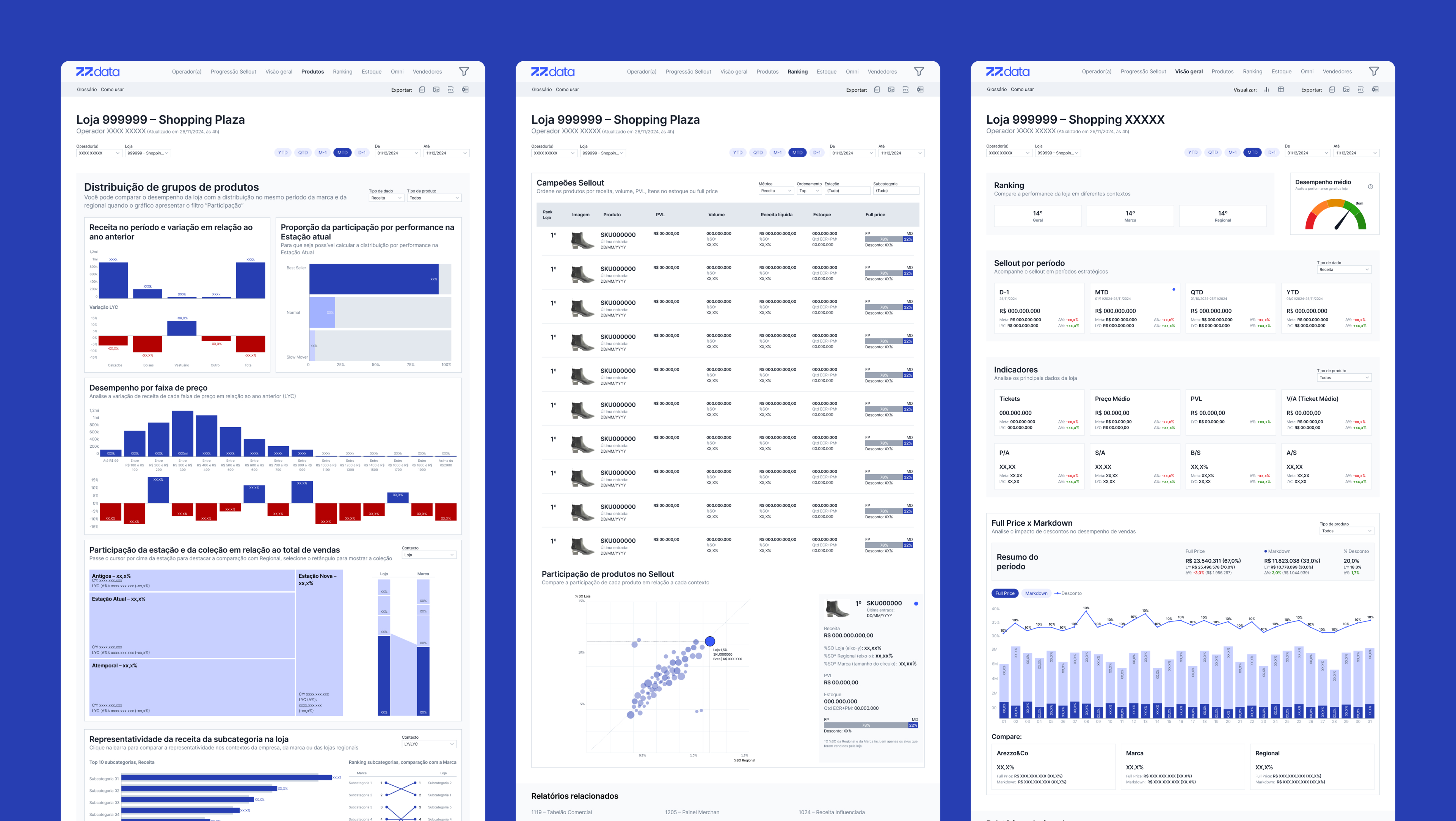
Designed to give store managers, commercial analysts, and franchise owners a single, reliable view of store performance. Through interviews and workflow audits, we identified that users needed to quickly understand sales context, gaps, and opportunities without switching between multiple dashboards or Excel files. The new dashboard consolidated essential KPIs – sales, AOV, inventory levels, seller performance, and sellout trends – into a clean, drill-down structure that allowed users to explore data by store, operator, or cluster. A mobile version ensured visits and audits could be performed directly in-store, increasing on-the-ground decision speed.
Store Overview (Raio-X de Loja)

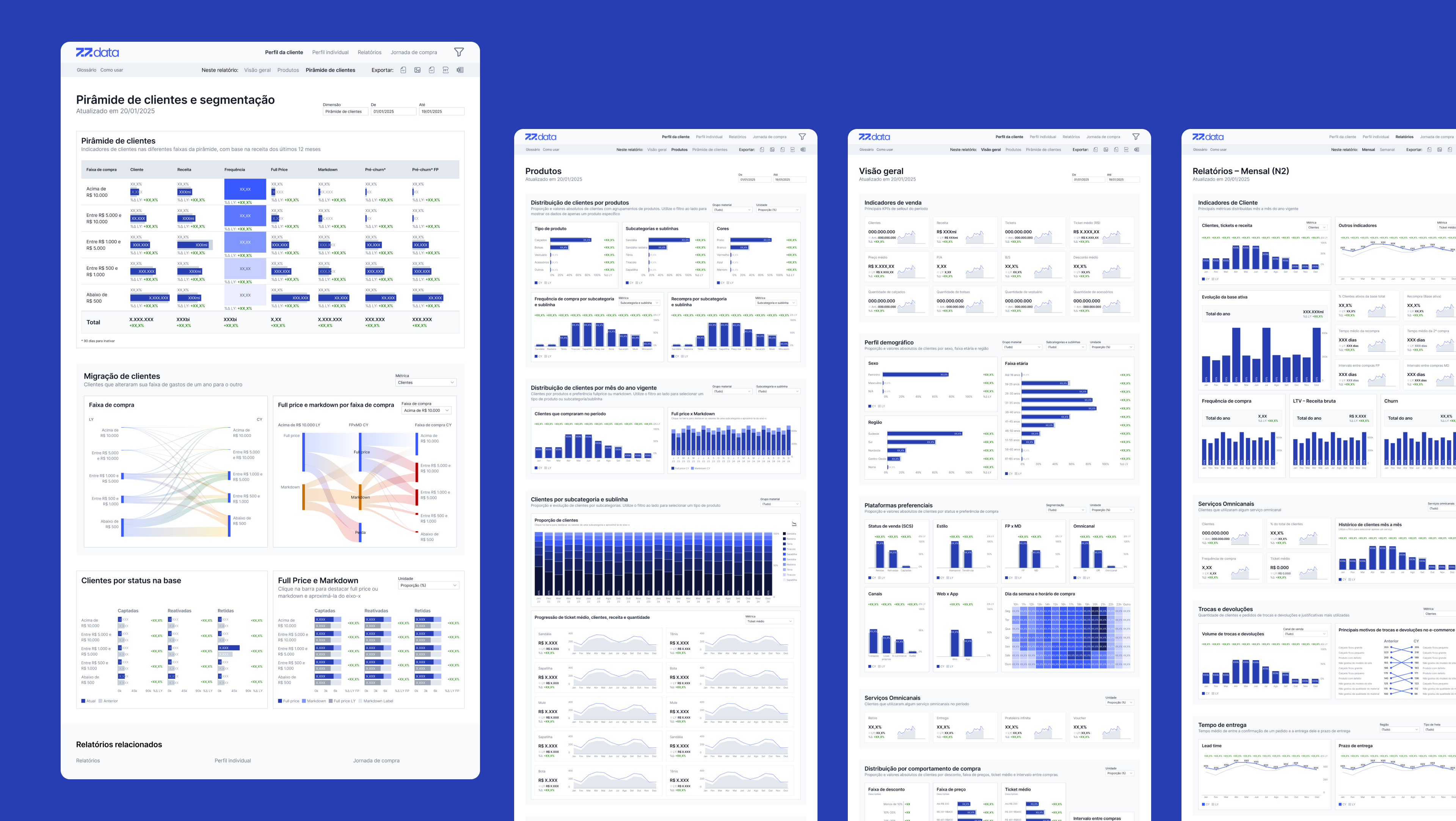
Customer Profile

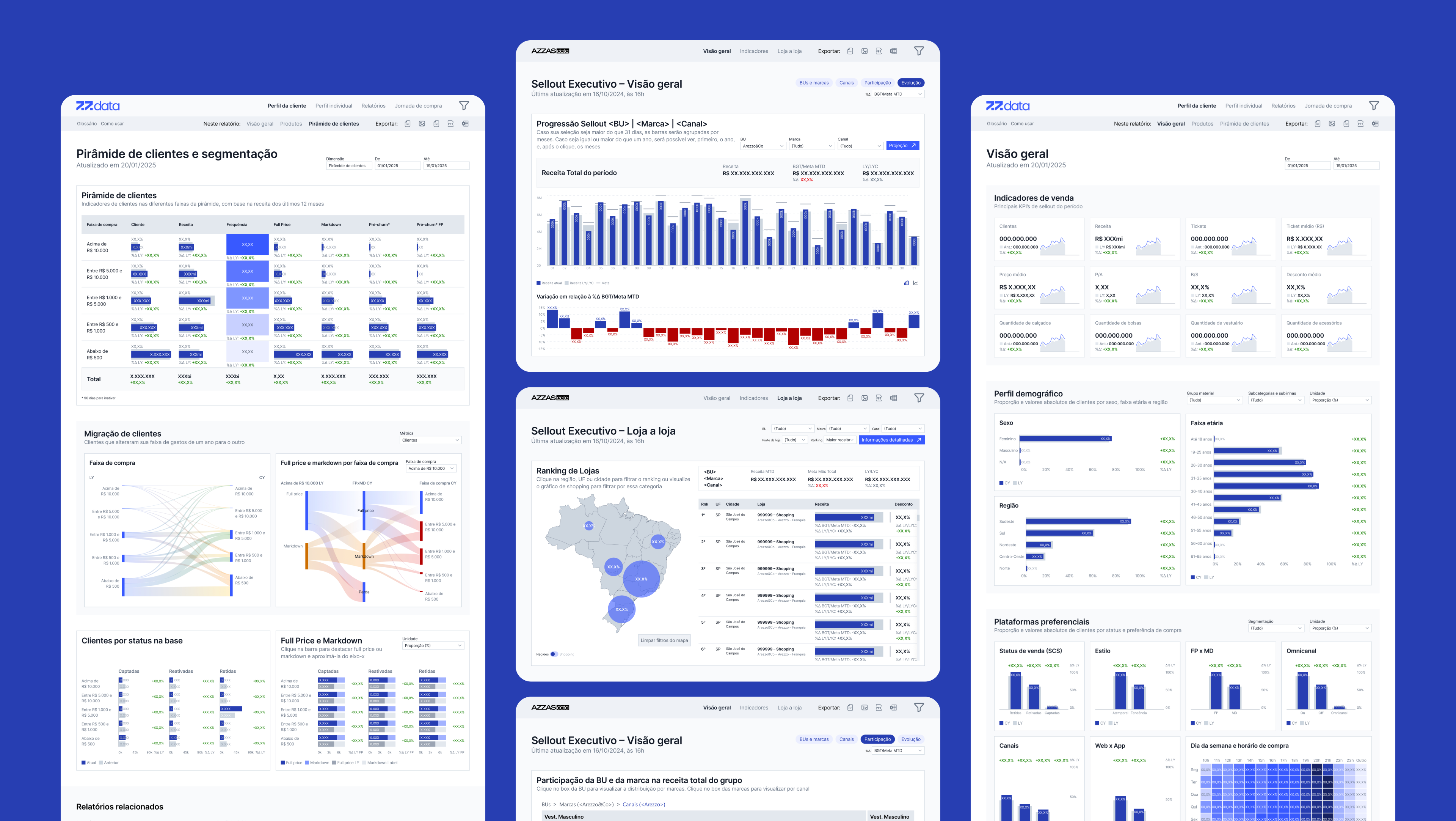
Built to support CRM and marketing teams, this dashboard surfaced behavioral insights and segmentation patterns previously buried in spreadsheets. It included recurrence metrics, average ticket, channel preferences, cohort analyses, and filters for demographic and behavioral segmentation. These views helped teams identify audience clusters, tailor campaigns, and detect shifts in purchasing patterns. Performance was a major challenge – the dashboard processed extremely large datasets – so the layout and filters were redesigned to reduce processing cost while increasing clarity.

Customer Profile

Revenue Analysis

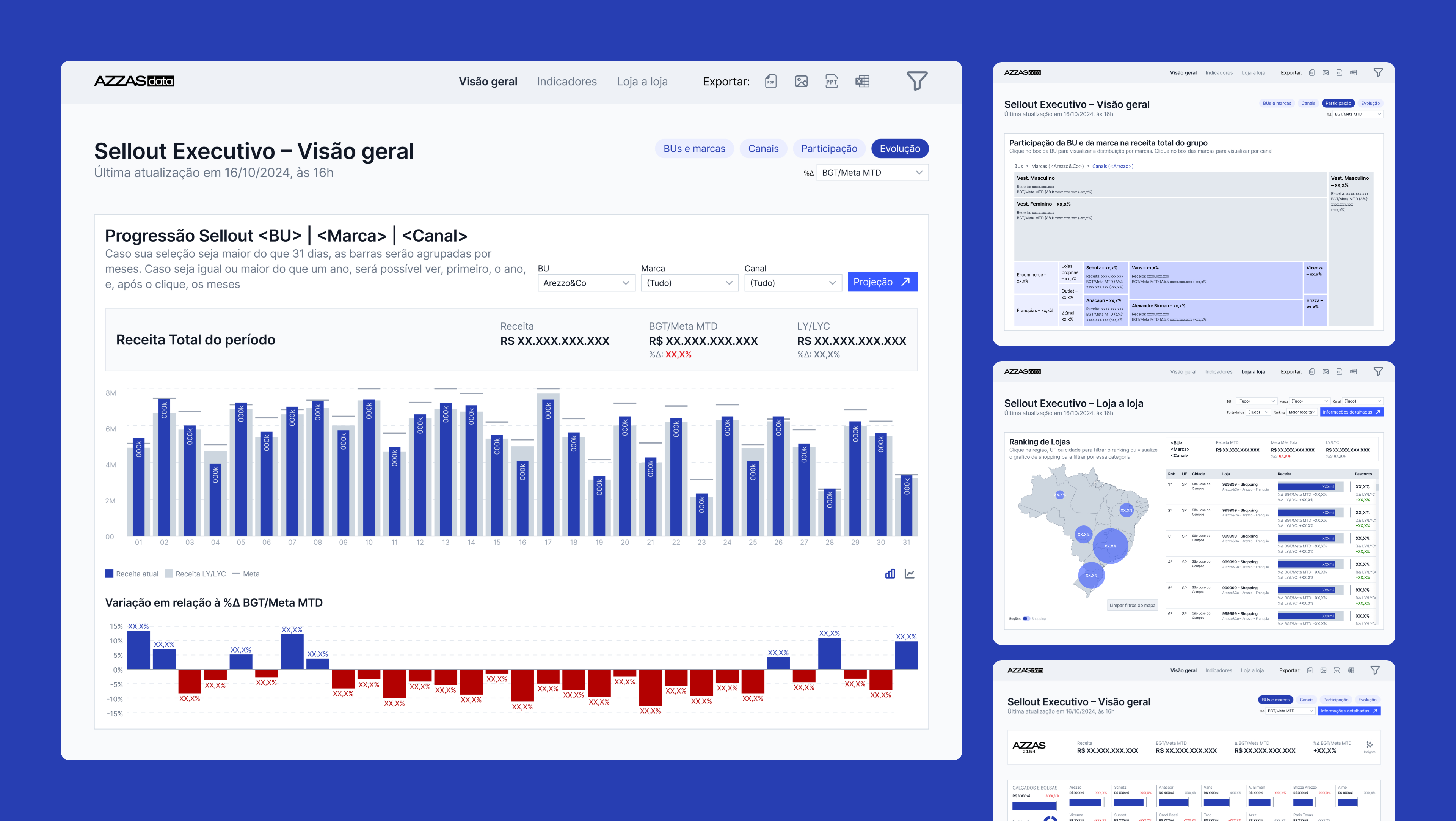
The Revenue Analysis Dashboard was fully redesigned after the merger that brought 30+ brands under one structure. The goal was to simplify multi-brand financial analysis and reduce visual noise while expanding analytical depth. The new version introduced a clearer KPI hierarchy, intuitive navigation across brands and categories, and richer interactivity through optimized filters, contextual tooltips, and drill-downs. The layout was updated to align with the group’s new identity and ensure consistency across dashboards. By reorganizing components and leveraging Tableau’s native features, users gained faster access to YoY comparisons, goal tracking, and revenue insights with greater confidence and less effort.

Revenue Analysis

Key Features

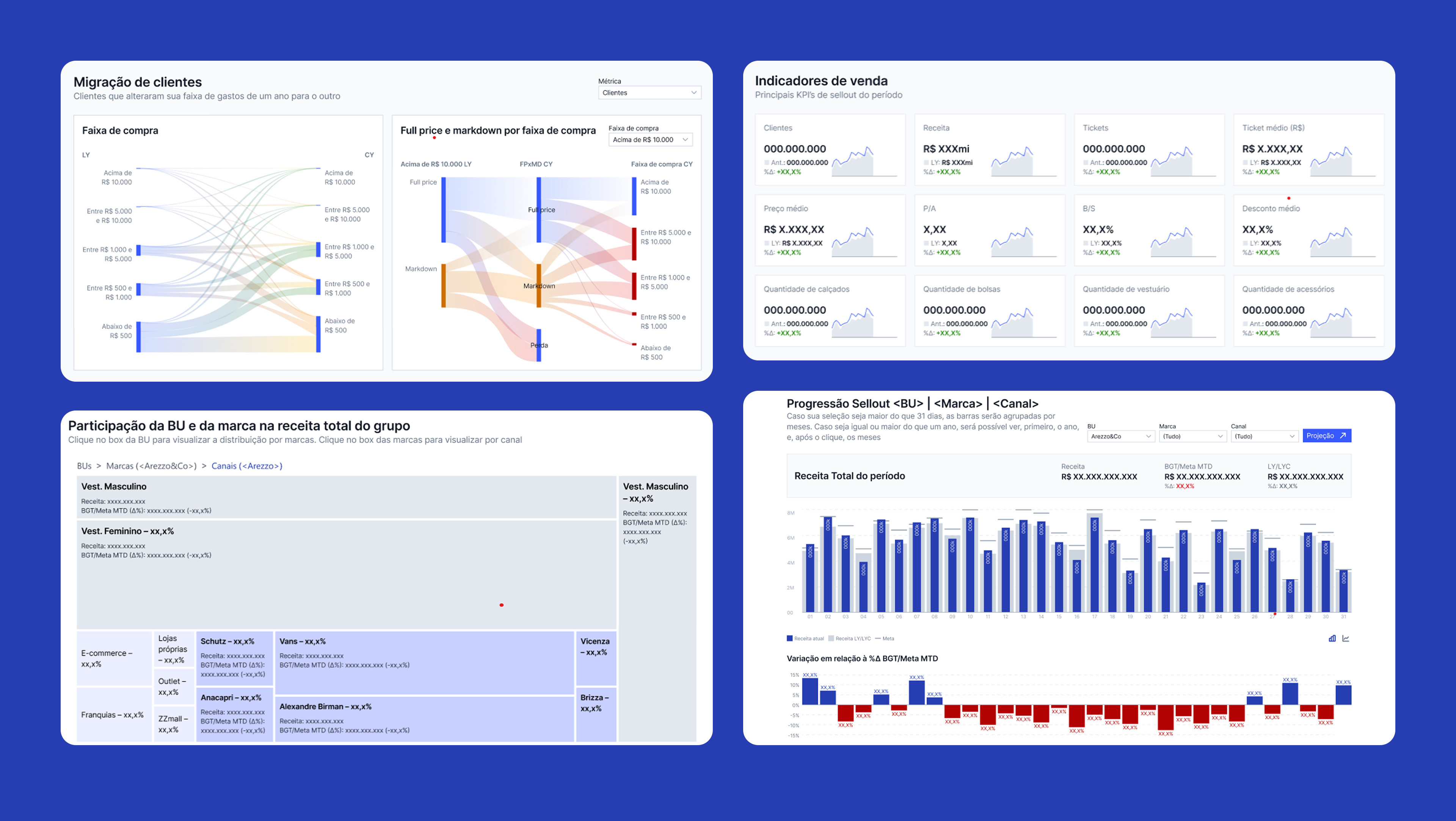
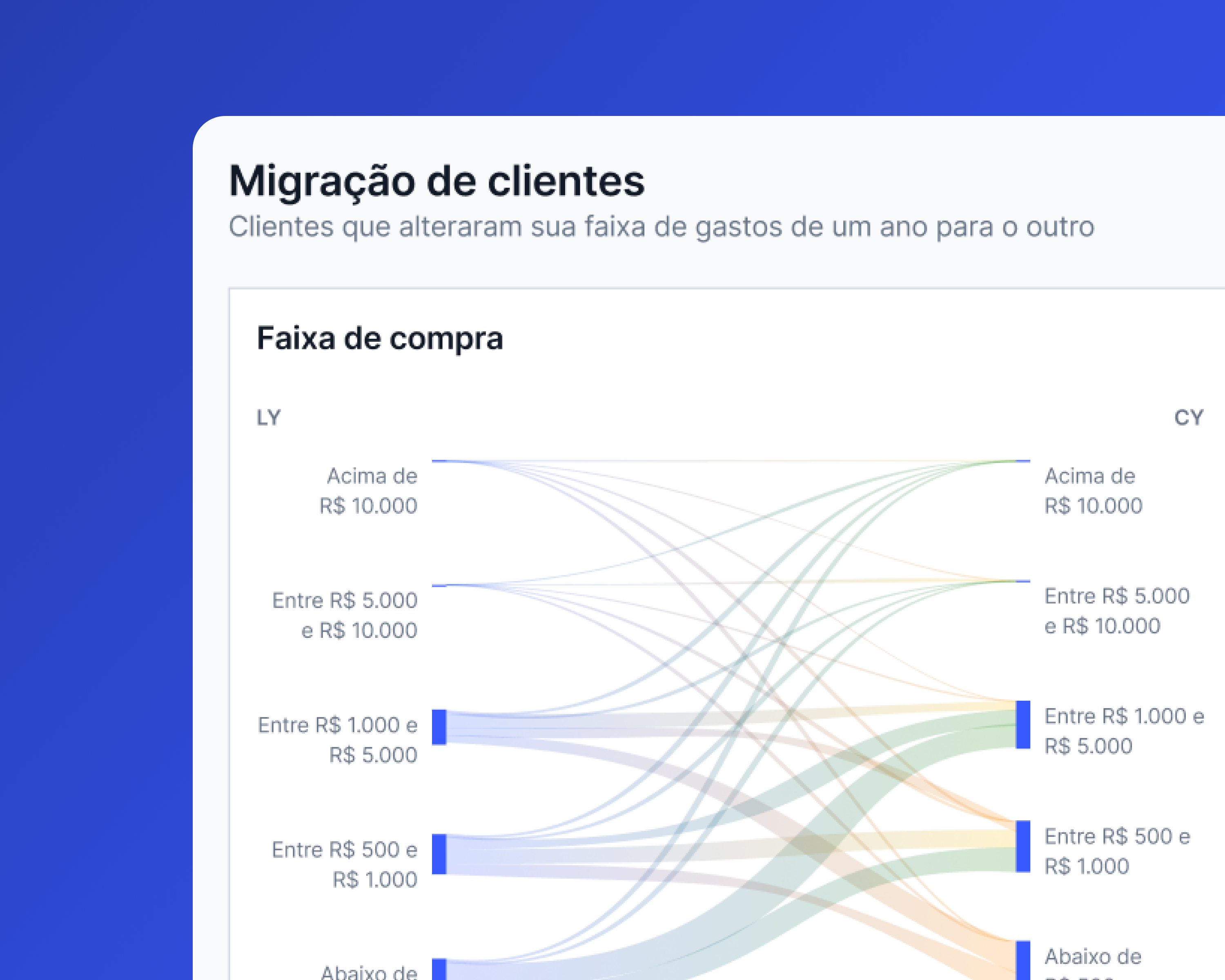
All dashboards adopted a unified set of visual and interaction patterns to improve clarity and accelerate decision-making. Visualizations were standardized for quick scanning – bar and line charts, treemaps, and chart-tables – with consistent color rules, hierarchy, and formatting. Interactions such as drill-downs, tooltips, and optimized filters enabled deeper exploration without losing context. Highlighted KPI blocks and visual indicators improved performance interpretation, while YoY comparisons and goal tracking strengthened strategic analysis. In partnership with the Tableau developer, we also optimized performance by reducing heavy calculations, restructuring filters, and replacing elements that increased load time.

Key Features

Design System

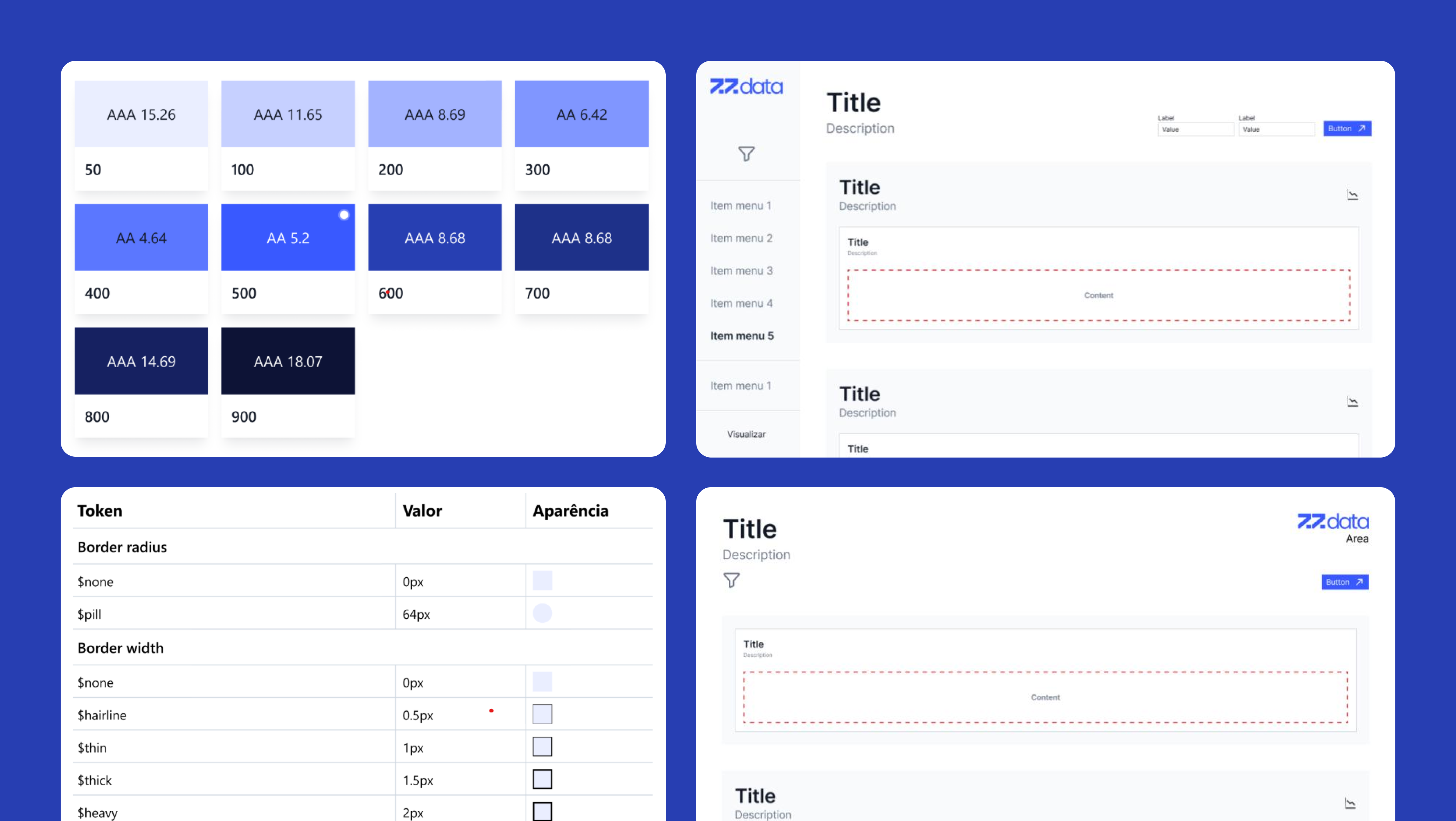
I built a Tableau-ready design system with tokens (color, spacing, typography), data-viz patterns, templates, KPI blocks, and navigation components. The templates – already optimized for performance – were the biggest accelerator, reducing development time by 85%. Components were designed to avoid performance-heavy elements such as rounded cards, custom fonts, and repeated data extractions.

Design System

Impact

Business impact

  • KPI alignment across 6 brands
  • Reduced operational inefficiency
  • Strengthened data culture post-merger
  • Faster visibility for executive decisions

User impact

  • Faster access to insights
  • Reduced Excel dependency
  • Higher trust through consistent KPIs
  • Smoother navigation across dashboards

Team impact

  • 85% faster design-to-dev cycles
  • Templates accelerated new dashboard creation
  • Clear guidelines improved collaboration
  • Shared language reduced rework and misalignment

Key learnings

  • Users stick to Excel unless dashboards offer speed, clarity, and trust.
  • Tableau requires designing around performance constraints.
  • KPI alignment is foundational in multibrand environments.
  • Templates were the strongest lever for scale and consistency.
  • Navigation patterns matter as much as visualization patterns.